

The Role of CRM in Freelance Business Growth
Customer relationship management (CRM) is defined as a system that centralizes client data, automates follow-ups, and tracks every stage of a business relationship. For freelancers, the role of CRM in freelance business is to act as a personal assistant that never forgets a name, a deadline, or a promise made to a client. Tools like Pipedrive, HubSpot, and BlaBlaNote have made CRM accessible to solo professionals who once relied on scattered spreadsheets and sticky notes. The payoff is real: Pipedrive users report saving more than 60% of time previously spent on follow-up tasks alone. That time compounds into more billable hours and stronger client relationships.
How does a CRM improve client management and retention for freelancers?
Client retention is the most underrated revenue lever in freelancing. Landing a new client costs far more in time and energy than keeping an existing one happy, yet most freelancers invest almost nothing in systematic relationship management. A CRM changes that equation by giving you a single place to store client history, preferences, past project notes, and every conversation thread.
When a client emails you eight months after a project ends, you do not need to dig through Gmail threads or try to remember their budget range. Your CRM surfaces the full picture in seconds. That kind of recall feels attentive to clients, and attentive freelancers get referrals. In fact, CRM-backed follow-up routines can push referrals from 30% to over 60% of new business within six months. That is not a marginal improvement. It is a structural shift in how new work arrives.
Consistent communication is the mechanism behind that shift. A CRM lets you schedule check-in messages after project delivery, send birthday or work-anniversary notes, and flag clients who have gone quiet for 90 days. These touchpoints do not require manual effort every time. They run on rules you set once and forget.
- Store full client profiles including communication preferences, project history, and budget ranges
- Set automated reminders for follow-ups at 30, 60, and 90 days post-project
- Log every email, call, and meeting note directly against the client record
- Track referral sources so you know which clients send the most business
Pro Tip: After every completed project, add a short note to the client’s CRM record describing what they valued most and what caused friction. That context is worth more than any contact field when you re-engage them six months later.
What are the main types of CRM tools freelancers should consider?
Not every CRM is built for a solo operator. Many enterprise platforms assume you have a sales team, a marketing department, and an IT person to configure the system. Choosing the wrong category of tool is the fastest path to abandonment.

| CRM type | Best for | Limitations for freelancers |
|---|---|---|
| Lightweight contact managers | Freelancers with small client lists who need basic notes and reminders | Limited pipeline visibility and reporting |
| Pipeline-focused CRMs (e.g., Pipedrive) | Freelancers actively prospecting and managing multiple deal stages | Can feel over-engineered for relationship maintenance |
| All-in-one platforms (e.g., HubSpot free tier) | Freelancers who want CRM, email marketing, and basic reporting in one place | Free tiers have feature caps; paid tiers get expensive fast |
| Spreadsheet-based CRMs (e.g., Crminexcel) | Freelancers who want full control, offline access, and no monthly fees | Requires discipline to maintain; no mobile app |
| Note-based tools (e.g., BlaBlaNote) | Freelancers prioritizing relationship context over pipeline tracking | Not suited for volume prospecting or invoicing |
The right choice depends on where your friction actually lives. If you lose leads during busy months, a visual pipeline tool like Pipedrive makes deal stages transparent and prevents prospects from falling through the cracks. If your problem is forgetting to follow up with past clients, a lightweight contact manager with reminder functionality solves the problem at a fraction of the cost and complexity.
Many freelancers also overlook spreadsheet-based systems. A well-structured Excel CRM gives you complete data ownership, works offline, and costs nothing beyond the initial setup. For privacy-conscious freelancers or those working in regulated industries, that matters more than any cloud feature.
Pro Tip: Before committing to any CRM category, write down the three client management problems that cost you the most time or money last quarter. Match the tool to those specific problems, not to a feature list you might use someday.
What practical steps should freelancers take to set up an effective CRM?
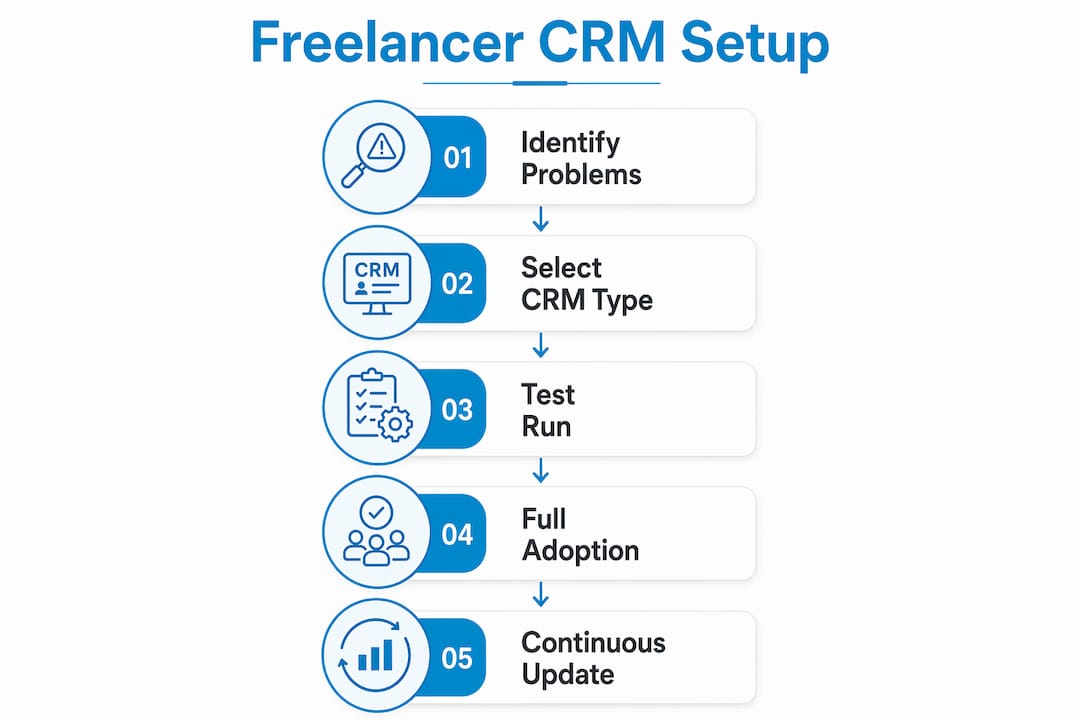
Setup is where most freelancers stall. The tool gets installed, a few contacts get added, and then real client work takes over. Six weeks later, the CRM is a ghost town. Avoiding that outcome requires a deliberate approach from day one.
- Audit your current system. Before choosing a CRM, map out where client information currently lives. Email threads, phone contacts, invoicing software, and browser bookmarks all count. This audit tells you what the CRM needs to replace or connect with.
- Define your pipeline stages. A freelance pipeline rarely mirrors a corporate sales funnel. Typical stages might be: Lead, Proposal Sent, Active Project, Delivered, Follow-Up Due, and Closed. Build stages that reflect how your work actually moves, not how a software template suggests it should.
- Import real contacts immediately. Testing a CRM with dummy data tells you nothing useful. Import your actual client list during the trial period. Real names and real history reveal whether the tool fits your workflow or fights it.
- Connect your email and calendar. CRM integration with email and calendar is not optional. A CRM that lives in isolation from where you actually work will be ignored within weeks. Most tools offer Gmail or Outlook sync; use it from day one.
- Set a weekly review habit. Block 20 minutes every Friday to update deal stages, log completed conversations, and check upcoming follow-up reminders. This single habit determines whether your CRM stays current or becomes outdated data you no longer trust.
- Keep required fields minimal. Every mandatory field you add to a contact record is friction. Start with name, company, email, last contact date, and one notes field. Add fields only when you find yourself repeatedly needing information that has no home.
The signs that you need a CRM are straightforward: you are managing more than five active clients simultaneously, you have missed a follow-up in the past 60 days, or you cannot recall where a specific lead stands without searching through emails. Any one of those signals is enough to justify the switch.
Pro Tip: Run your chosen CRM in parallel with your current system for two weeks before fully committing. If you find yourself checking the CRM first, it has earned its place in your workflow.
How does CRM automation help freelancers reclaim time and grow their business?
Freelance business automation is not about replacing the human side of client relationships. It is about removing the administrative weight that pulls you away from the work clients actually pay for. A well-configured CRM handles the mechanical parts of relationship management so your attention stays on delivery and strategy.
The time savings are concrete. Freelancers can save 3 to 5 hours per week by automating follow-ups, invoicing reminders, and scheduling through CRM systems. Over a month, that is an extra two to three billable days recovered from administrative overhead.
- Automated follow-up sequences send check-in messages at preset intervals after project delivery without requiring manual action each time
- Invoice reminders trigger automatically when a payment due date approaches, reducing the awkward task of chasing clients for money
- Milestone-based touchpoints send a message when a project hits a defined stage, which clients experience as attentive care rather than automated communication
- Lead nurture sequences keep warm prospects engaged during your busy periods when you have no bandwidth for outreach
- Appointment scheduling links eliminate the back-and-forth email chains that consume 20 to 30 minutes per meeting booked
The referral impact of consistent automation is equally significant. Freelancers who maintain consistent follow-ups build a referral network that generates new business continuously without active marketing campaigns. That is the difference between a freelance business that grows and one that cycles between feast and famine.
What are common pitfalls when using CRM in freelance businesses?
The most common reason freelancers abandon a CRM is not that the tool failed. It is that the tool demanded more than it gave back. Every minute spent updating records that do not surface useful information is what practitioners call an “administrative tax.” When that tax gets too high, the CRM gets ignored.
- Too many required fields. If logging a new contact takes more than two minutes, the system will be skipped during busy periods. Keep data entry fast and optional fields truly optional.
- Choosing enterprise tools. Many freelancers adopt enterprise CRMs designed for teams and then abandon them within 90 days due to complexity that has no payoff at solo scale.
- Rigid pipeline stages. Freelance relationships do not follow linear sales funnels. A CRM that forces every contact into a fixed stage creates friction rather than clarity.
- Over-automating too early. Building complex automation sequences before you understand your own workflow patterns creates systems that send the wrong message at the wrong time.
- Treating CRM as a database, not a memory tool. The most effective approach is to use CRM as a lightweight memory extension focused on linked notes, conversation history, and simple reminders rather than a feature-heavy platform.
Pro Tip: If updating your CRM ever feels like a chore you avoid, that is a signal to simplify. Remove fields, collapse pipeline stages, and reduce automation until the system feels lighter than your current workaround.
Key takeaways
A CRM works for freelancers because it converts scattered relationship data into a system that generates referrals, saves administrative time, and keeps client communication consistent without requiring constant manual effort.
| Point | Details |
|---|---|
| CRM centralizes client data | Store full client history, preferences, and notes in one place to recall context instantly. |
| Automation recovers billable time | Freelancers save 3 to 5 hours weekly by automating follow-ups, invoicing, and scheduling. |
| Referrals grow with consistent follow-up | CRM-backed routines can push referrals from 30% to over 60% of new business within six months. |
| Tool choice must match solo workflows | Avoid enterprise CRMs; choose lightweight or spreadsheet-based tools that minimize data entry friction. |
| Simple habits sustain CRM value | A weekly 20-minute review keeps records current and follow-up reminders accurate. |
Why the simplest CRM you will actually use beats the best one you won’t
I have watched freelancers spend weeks evaluating CRM platforms, build elaborate pipeline stages, and then quietly return to a notebook three months later. The tool was not the problem. The mismatch between the tool’s complexity and the freelancer’s actual workflow was.
What changed my perspective on CRM for solo professionals was seeing how a basic system, maintained consistently, outperformed sophisticated platforms used sporadically. One copywriter I know tracks every client in a structured Excel file. No cloud sync, no automation sequences, no Kanban board. Just a clean record of who she talked to, what they needed, and when to follow up. Her referral rate is above 70%. She has not run a cold outreach campaign in four years.
The mindset shift that matters most is moving from reactive to proactive relationship management. Without a CRM, you respond to whoever contacts you. With one, you decide who to reach out to and when, based on data rather than memory. That shift turns a freelance business from a series of transactions into a referral engine that runs on its own momentum.
My honest recommendation: start with the simplest tool you will open every day. Add complexity only when a specific problem demands it. The importance of CRM in freelance work is not about features. It is about consistency applied over time.
— Michał
Manage every client relationship without a monthly subscription
Freelancers who want the organizational power of a CRM without cloud dependency or recurring fees have a direct option in Crminexcel. Built entirely inside Microsoft Excel, it gives you a fully functional client management system including lead tracking, follow-up reminders, sales pipeline management, and contact history. You own the file, control your data, and pay once.
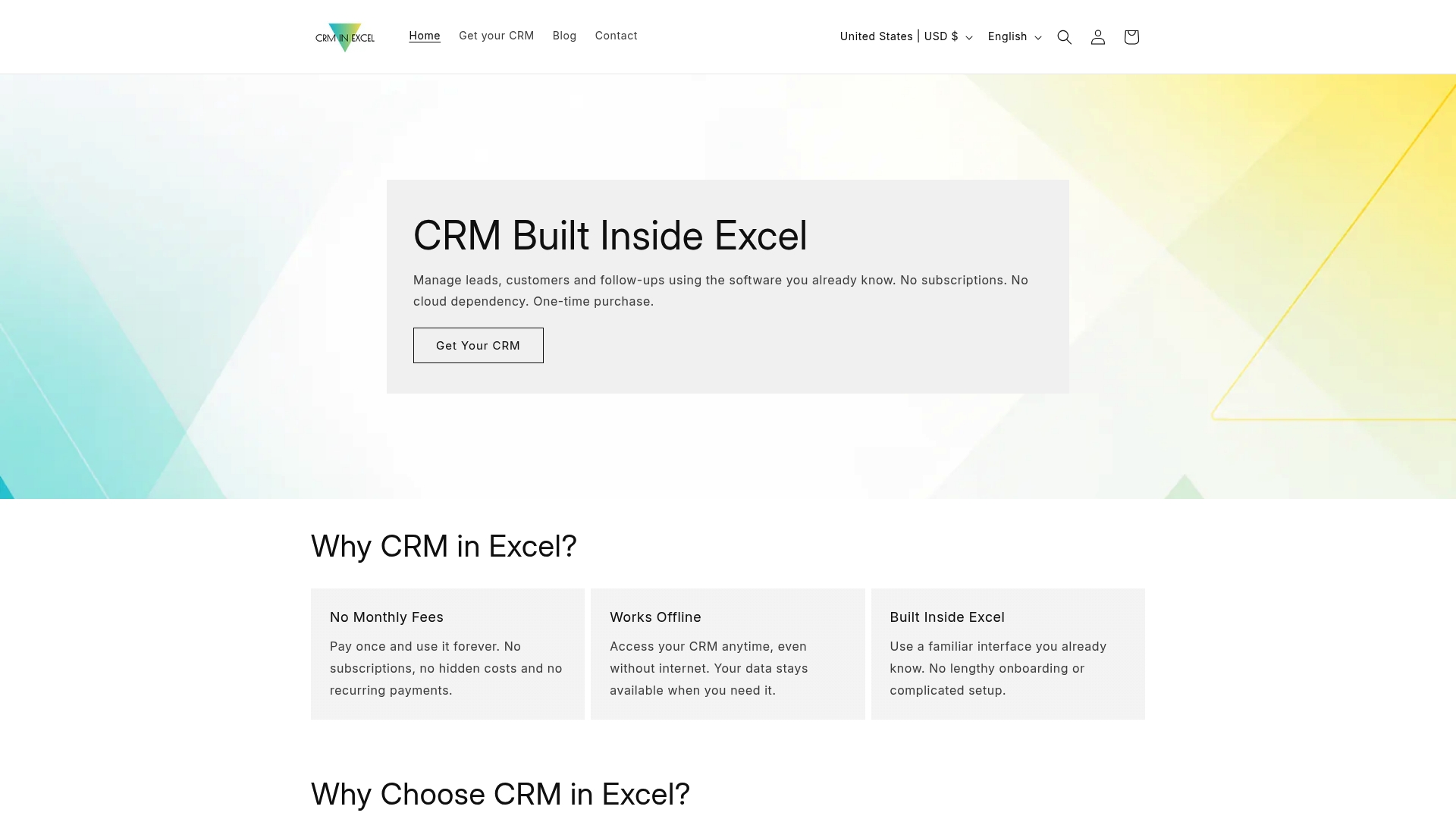
For independent contractors and consultants who already live inside Excel, Crminexcel removes the learning curve entirely. There is no new software to install, no login to remember, and no subscription that renews while you are between projects. If you want a CRM that fits a solo workflow without the overhead, explore the offline CRM for freelancers that Crminexcel offers and see whether it matches how you actually work.
FAQ
What does a CRM do for a freelancer specifically?
A CRM centralizes client contact details, project history, follow-up reminders, and communication logs so freelancers can manage relationships without relying on memory or scattered email threads. It also automates routine touchpoints like post-project check-ins and invoice reminders.
How many clients do you need before a CRM makes sense?
Most freelancers benefit from a CRM once they are managing five or more active clients simultaneously or have missed a follow-up in the past 60 days. Even smaller client lists benefit from the structure when referral growth is a priority.
Can a CRM actually increase freelance referrals?
Yes. Systematic CRM follow-ups have been shown to double referral rates within six months by keeping past clients engaged and top of mind when they encounter someone who needs your services.
Is a spreadsheet-based CRM good enough for freelancers?
A spreadsheet CRM like Crminexcel is sufficient for most solo professionals. It covers contact management, pipeline tracking, reminders, and reporting without the cost or complexity of cloud platforms, and it works offline with full data privacy.
What is the biggest mistake freelancers make with CRM tools?
The biggest mistake is choosing an enterprise CRM designed for sales teams and then abandoning it due to complexity. CRMs requiring over 30 seconds to update per contact are consistently abandoned. The right tool for a freelancer is the simplest one that solves the specific problem of missed follow-ups and lost client context.